> For the complete documentation index, see [llms.txt](https://blockmail.gitbook.io/whitepaper/llms.txt). Markdown versions of documentation pages are available by appending `.md` to page URLs; this page is available as [Markdown](https://blockmail.gitbook.io/whitepaper/getting-started/quickstart.md).
# Quickstart
## Get Started
### 1. Generating a Temporary Email
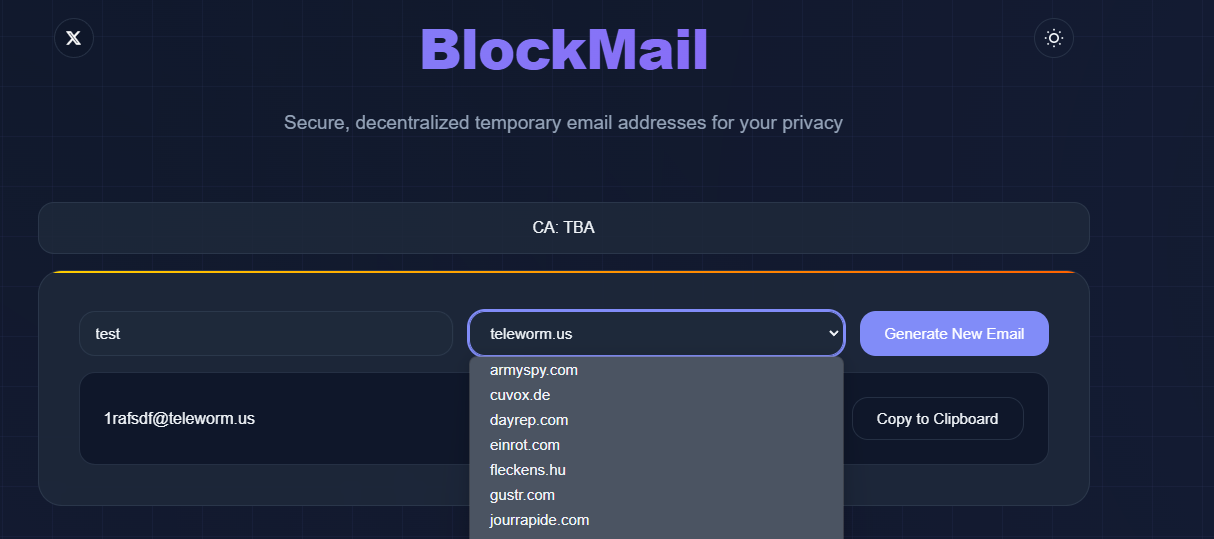
* Navigate to **BlockMail’s web interface**.
* Enter an optional custom email prefix in the input field.
* Select an available domain from the dropdown list.
* Click **"Generate New Email"** to create a temporary email address.
* The email address is instantly assigned and displayed in the interface.
* The URL updates dynamically (`/domain/prefix`) for direct access.
### 2. Email Reception and Inbox Management
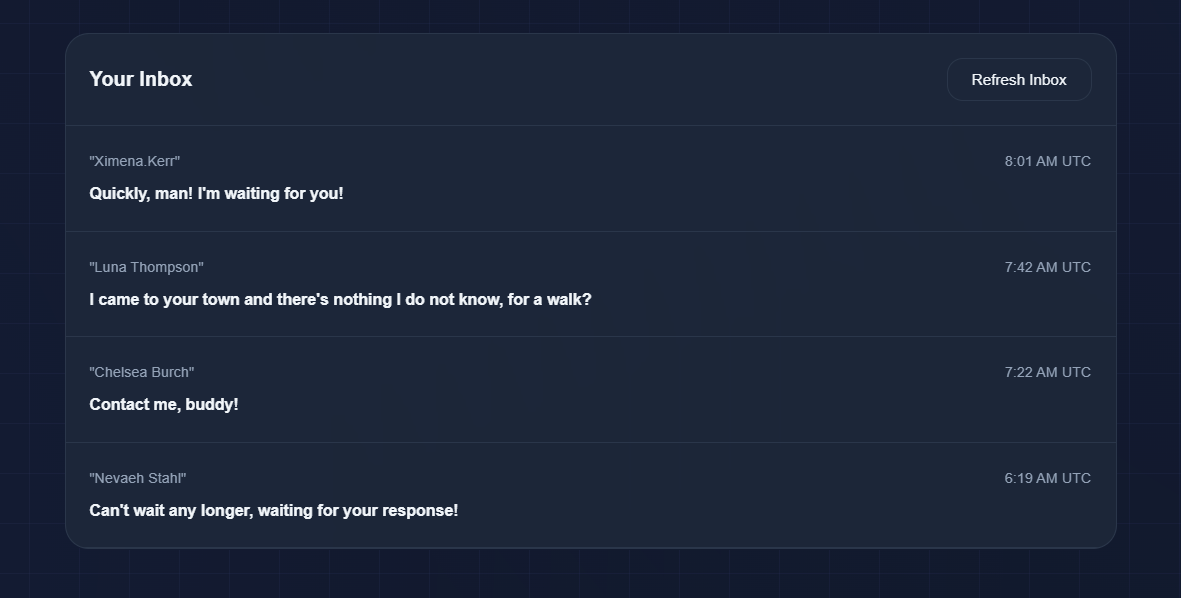
* Incoming emails are automatically fetched from BlockMail’s backend.
* Emails are displayed in the inbox with sender, timestamp, and subject metadata.
* Clicking **"Refresh Inbox"** sends an API request to fetch the latest messages.
* The inbox updates dynamically using **AJAX** to avoid full-page reloads.
{% hint style="warning" %}
**Tip:** BlockMail does not require user authentication, ensuring anonymity. However, generated emails are temporary, so **save important information before the inbox expires**!
{% endhint %}
### 3. Email Viewing and Storage
* Clicking an email opens a modal with the full email content.
* Emails are rendered in **HTML format** for proper readability.
* Emails are stored temporarily and auto-expire based on system settings.
* The expiration policy is enforced at the backend to maintain privacy.
### 4. Copying and Using the Email Address
* Users can copy the generated email address with a single click.
* The **Clipboard API** ensures seamless copying without extra interactions.
* Temporary emails can be used for website signups, form submissions, and verifications.
### 5. Security and Anonymity
* No user authentication or sign-up is required.
* Each generated email is **ephemeral** and not linked to any identity.
* Emails are deleted after a predefined expiration time.
* The backend enforces **data minimization** to ensure privacy.
### 6. API Interaction and Data Flow
* The frontend communicates with the backend via **RESTful API requests**.
* Email generation and retrieval follow **JSON-based API responses**.
* The system leverages **server-side filtering** to handle expired emails.
* Domains are fetched dynamically from the `/api/domains` endpoint.
* Emails are retrieved using `/api/inbox/{email}`.